

EdgeStore v1 is here
File uploads for your app just got better.
EdgeStore v1 is now available.
EdgeStore has been stable for some time, even though it was still on v0.x. With this release, the tools around it have grown: you can manage files from your terminal, connect a coding agent to your projects, and use EdgeStore from scripts without setting up an app router.
v1 brings those tools together with a simpler backend client, broader storage provider support, and more flexibility in how you validate and serve files.
Upgrading from v0.x? Start with the migration guide. The main breaking changes are also summarized at the end of this post.
CLI, MCP, and coding agent integrations
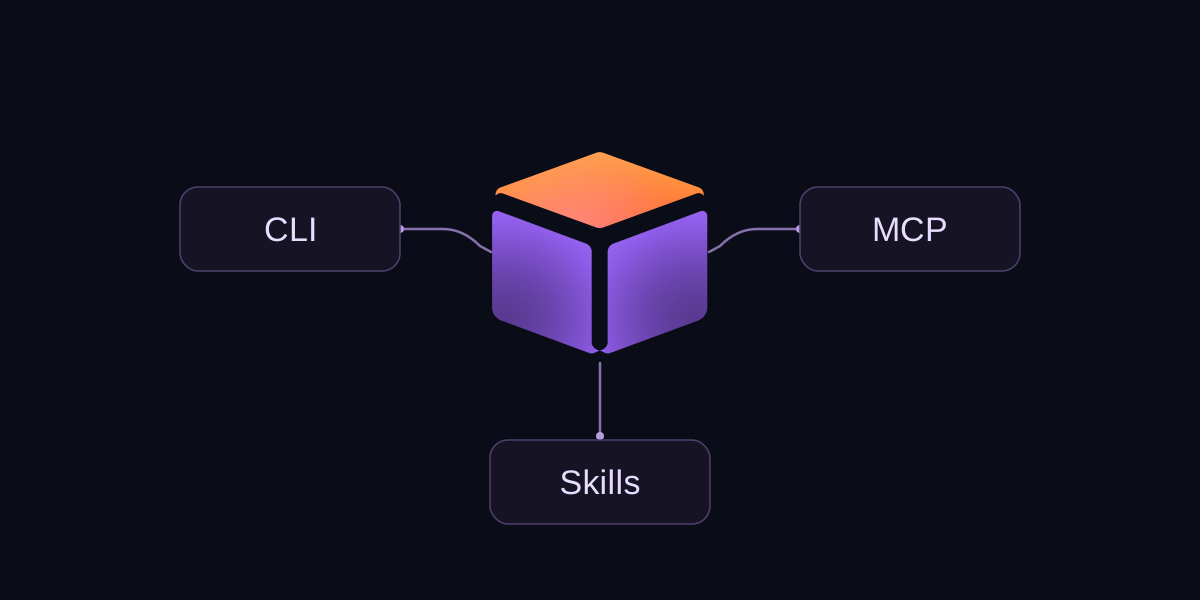
The new CLI lets you create projects and buckets, upload files, and manage credentials from the terminal. It works interactively or in scripts, with upload progress and structured JSON output.
npm install --global @edgestore/cli@latest
edgestore login
edgestore init
Coding agents can use the hosted MCP server to work with your EdgeStore projects: inspect files, create buckets, and generate access URLs within the permissions you grant them.
For adding EdgeStore to an app, the setup skill guides the agent through the integration. The server, React, and SDK packages now include version-matched Markdown references, so it can use the APIs you actually have installed.
Plugins bundle the skill and MCP connection for Codex, Claude Code, and Cursor. You can also configure them through the CLI:
edgestore agent setup --client cursorUse codex or claude for the other supported clients. MCP sign-in is separate from CLI sign-in. The agent setup guide covers both plugin and CLI installation; you only need one of those setup paths.
Updated upload components
The upload components have a refreshed design, with three new options: an avatar uploader for profile photos and logos, a file field for forms, and an upload button that also accepts drag-and-drop.
The existing components handle more of the small details too. Dropping an invalid file no longer discards the valid files alongside it. Failed uploads show an error and a retry button, running uploads can be canceled, and completed images can be replaced or removed. Keyboard focus, button labels, and progress indicators have also been improved.
Add them through the shadcn registry or copy the source into your app and customize it to fit your UI.
REST API and standalone SDK
EdgeStore's API v2 gives you direct access to file operations and project management. The new @edgestore/sdk package provides a typed TypeScript client for working with it without an EdgeStore router.
Use it to import files, upload generated reports, or manage projects from a background job. The upload helper handles single and multipart transfers, reports progress, and waits for processing to finish before returning the file.
import { createEdgeStoreSdk } from '@edgestore/sdk';

const sdk = createEdgeStoreSdk({
  credentials: {
    accessKey: process.env.EDGESTORE_ACCESS_KEY!,
    secretKey: process.env.EDGESTORE_SECRET_KEY!,
  },
});

const result = await sdk.runtime.uploads.upload({
  bucket: 'reports',
  source: new Blob(['month,total\nSeptember,42\n'], { type: 'text/csv' }),
  fileName: 'monthly-report.csv',
});
Project credentials scope operations to a project. Management tokens can also work with account resources within their permissions. Keep both on the server, never in a browser bundle. See the SDK guide for more examples.
Better file domain isolation
Project-specific file domains are now available, separating file delivery between projects instead of relying only on a shared file domain. The client discovers the project's file origin automatically, so your upload calls stay the same.
The integration also supports preserved legacy file hosts during migration. Upgrading the packages alone does not move an existing project to a new domain.
This lays the groundwork for custom domains, which are planned as a follow-up rather than part of this release.
Backend client support for external providers
The backend client is now available directly as router.client. It shares the router's configuration with your framework handler, so there is no separate client to initialize.
import { initEdgeStore } from '@edgestore/server';
import { createEdgeStoreNextHandler } from '@edgestore/server/adapters/next/app';

const es = initEdgeStore.create();
const router = es.router({ documents: es.fileBucket() });

const handler = createEdgeStoreNextHandler({ router });
const backendClient = router.client;
It now works with external providers too. Chain .provider(myProvider) on the router, and the client exposes the operations that provider supports. Bucket names, input, and metadata remain inferred from your router.
For example, S3 and Azure Blob Storage support backend uploads, file lookup, deletion, and signed private downloads. Unsupported operations are left out of the client type.
The backend client is privileged: authorize callers in your server code. It validates input and file rules, but does not run accessControl, beforeUpload, or beforeDelete hooks. The backend client guide covers setup and provider support.
Expanded S3 and Azure support
Both providers now support large-file uploads from the browser and backend uploads through router.client. S3 uses multipart uploads and Azure Blob Storage uses block uploads, while your React upload API stays the same. Both also support signed URLs for private downloads.
The S3 provider isn't limited to AWS. You can also use Cloudflare R2, Backblaze B2, DigitalOcean Spaces, Google Cloud Storage, Tigris, Supabase Storage, and MinIO through their S3-compatible APIs. The S3-compatible services guide includes configuration examples and service-specific differences.
You can configure storage paths, cache headers, download filenames, and metadata for both providers. S3 also supports tags, storage class, and encryption settings. Upload results include the storage key, giving you a reference for later lookup or deletion even if your CDN domain changes.
Large browser uploads have more targeted error handling across hosted EdgeStore, S3, and Azure. The client requests part URLs on demand, can refresh a rejected URL, and distinguishes temporary failures from permanent errors when retrying.
You still manage your own storage permissions and configuration. The S3 guide and Azure guide cover setup and differences from hosted EdgeStore. Hosted features such as listing and temporary files aren't available with these providers.
Standard Schema support
Bucket .input() now accepts object schemas that implement Standard Schema, including compatible Zod, Valibot, and ArkType schemas. Use the validation library already in your app without adding Zod just for EdgeStore.
If your schema transforms a value, the client gets the input type and your server callbacks get the transformed type. EdgeStore rejects invalid input before running upload hooks or storage operations.
Upload transforms
Upload transforms and signed URLs also arrived during this development cycle and shipped in v0.8. They're worth highlighting here if you haven't tried the recent releases.
Transforms let you process a file before EdgeStore validates and uploads it. For example, you can use an image-processing library to resize a photo or convert it to WebP in the browser, then upload the result. Backend uploads support transforms too.
The callback returns the transformed file and, when needed, its new extension. See the upload example for a WebP conversion using browser-image-compression.
Flexible access control with signed URLs
Signed URLs let you grant temporary access to a private file without making the bucket public. After checking that someone is allowed to read the file, your backend can issue a link with an expiration time.
This is useful for downloads and sharing files outside an authenticated app session. Anyone with the link can use it until it expires, so treat it as an access credential.
The backend client can sign individual files or several at once. See private read URLs for an example.
Fewer requests during initialization
Apps that don't need cookie-based file access, such as those with only public buckets, now skip unnecessary file-access token creation and the extra browser request to initialize access on the file domain. Your app still initializes its router and context, but avoids the file-access setup it doesn't use.
This improvement shipped in v0.8 and carries forward into v1.
Batch file operations
Deleting several files no longer requires a separate browser request for each one. React's deleteMany sends the batch to your app in one request and returns which files succeeded or failed.
That gives features like multi-select deletion fewer round trips and lets you retry just the failed files. Each file is still authorized before storage is modified.
Performance and scalability
Emptying a bucket now runs as a background job instead of keeping a request open until every file is removed. This lets cleanup work through large buckets without depending on a single request completing the whole operation.
The dashboard shows progress, keeps track of the job after a page refresh, and lets you retry if cleanup fails. This is a hosted-service improvement, so it doesn't require a package upgrade.
A dashboard that works on your phone
The dashboard now adapts to smaller screens, with mobile navigation and touch-friendly controls for projects, files, usage, and settings. Actions such as copying credentials and removing files no longer depend on hovering over them.

On iPhone, you can also add EdgeStore to your Home Screen and open the dashboard in its own window. It's the same web dashboard, with a layout designed to work on your phone as well as your desktop.
Upgrading to v1
v1 includes breaking changes. Before updating:
- Your app needs Node.js 22.22.0 or newer and ESM. The packages no longer include CommonJS builds.
- Replace
initEdgeStoreClient({ router })withrouter.clientand passrouterto your framework adapter. Custom providers use.provider(myProvider). - Some methods and results have changed. For example,
confirmUploadis nowconfirm, and backend listing uses cursor pagination. Check batch results for individual failures.
The migration guide covers the full API and provider changes, including Azure credentials. The development file proxy has also been removed, so you'll need to remove disableDevProxy, cookieConfig.token, and old /proxy-file links. Test uploads and private reads before deploying the upgrade.
To upgrade with a coding agent, use this prompt:
Upgrade this app to EdgeStore v1. Follow the migration guide: https://edgestore.dev/docs/migrate-to-v1.md
To install v1 in a React application:
npm install @edgestore/server@latest @edgestore/react@latestFor a standalone server-side integration:
npm install @edgestore/sdk@latestTry v1 in your next project, or follow the migration guide to upgrade an existing app. Share feedback and report migration issues on GitHub.